Laptop Repair in Papakura
Cracked screen, a laptop that won't turn on, a battery that won't hold charge or a machine that has become painfully slow? Mobile Smart provides laptop repair at 79 O'Shannessey Street, Papakura, with a free diagnosis and a clear quote before any work begins.
Your Local Laptop Repair Specialist in Papakura
Mobile Smart is a Papakura repair shop offering laptop repair for screen, battery, keyboard, charging, overheating, slow performance and liquid damage faults. Every job starts with a free diagnosis, so you know the cause, the cost and the timeframe before you decide.
Your laptop probably holds your work, study, photos and important files, so when it fails it disrupts everything. We test the machine first, so you only pay for the repair it needs, and we won't suggest a replacement when a fix will do.
We repair laptops from Apple MacBook, Dell, HP, Lenovo, ASUS, Acer, Microsoft Surface and other popular brands, and we serve customers across Papakura, Takanini, Drury, Red Hill and south Auckland.
- Laptop screen replacement
- Battery replacement
- Keyboard and trackpad repair
- Charging port and no-power faults
- Overheating, fan cleaning and SSD upgrades
- Liquid and accidental damage assessment
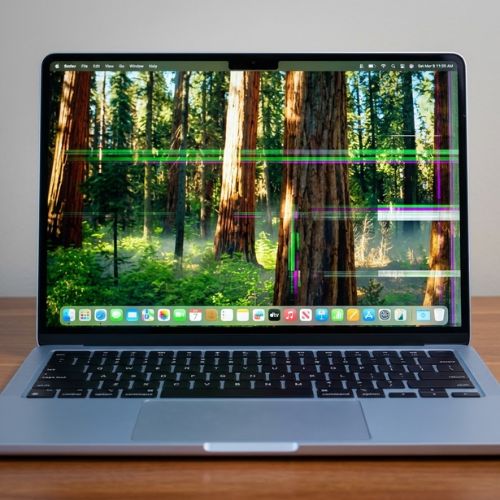
Laptop Problems We Fix in Papakura
From a cracked display to a laptop that won't start, our technicians test for the real cause before they repair anything.
Laptop Screen Repair
Cracked glass, lines, dim backlight or a flickering display. We inspect the screen and cable and confirm what needs replacing.
Laptop Battery Replacement
Only runs when plugged in, drains fast or shuts down suddenly? We test the battery before recommending a replacement.
Keyboard & Trackpad Repair
Keys that stick, stop working or type the wrong thing, or a trackpad that won't click or respond. We repair or replace the faulty part.
Charging Port & Power Faults
Won't charge, won't turn on or loses power when the cable moves. We check the charger, DC jack, battery and power circuit.
Overheating, Fans & Upgrades
Hot, loud or slow? We clean fans and vents, replace thermal paste, and can upgrade to an SSD where the model allows.
Liquid Damage Assessment
Corrosion keeps spreading after a spill. Switch the laptop off, unplug it and bring it in for inspection.
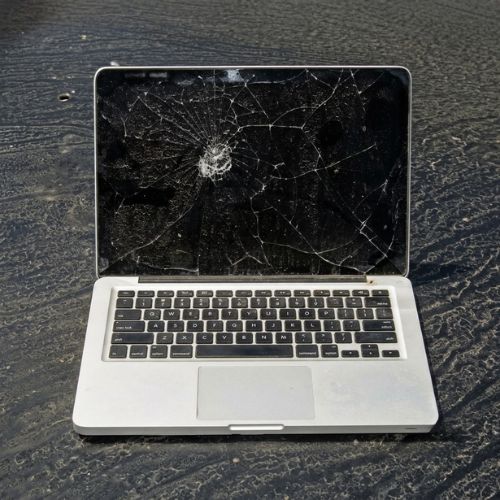
Laptop Screen Repair in Papakura
A damaged laptop screen is rarely just cosmetic. Cracks can spread, lines and dark patches point to a failing panel, and a dim or flickering display may be a backlight or cable fault rather than the screen itself.
We inspect the display, cable and hinges, then tell you whether replacement is the right repair. The correct screen depends on your exact model, size and resolution, so we confirm the part before quoting.
- Cracked or shattered laptop screen
- Lines, patches or discolouration on the display
- Flickering, dim or black screen
- Screen damage after a drop or pressure in a bag
- Loose, broken or noisy hinges
Laptop Battery Replacement in Papakura
A new battery is often the simplest way to make a laptop portable again. Every battery wears down with charge cycles, until the laptop only lasts a short time off the charger or shuts down without warning.
We test the battery and the charging circuit first, because a failing charger or charging port can look like a battery fault. That way you get the right fix.
Signs your laptop battery needs attention
- Only works when plugged in
- Drains much faster than it used to
- Shuts down suddenly at 20% to 40%
- Gets hot, or won't charge past a certain level
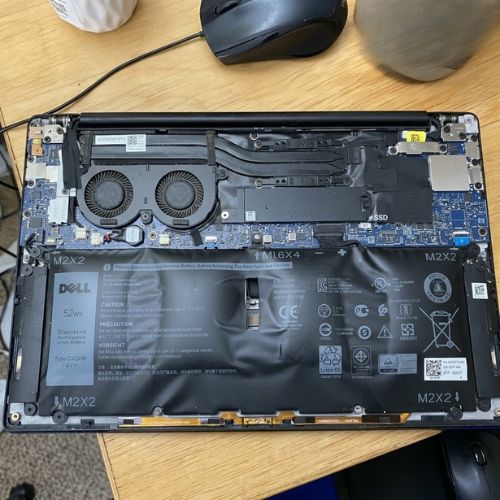
- Swollen battery, or a trackpad or case lifting up
Laptop Keyboard & Trackpad Repair in Papakura
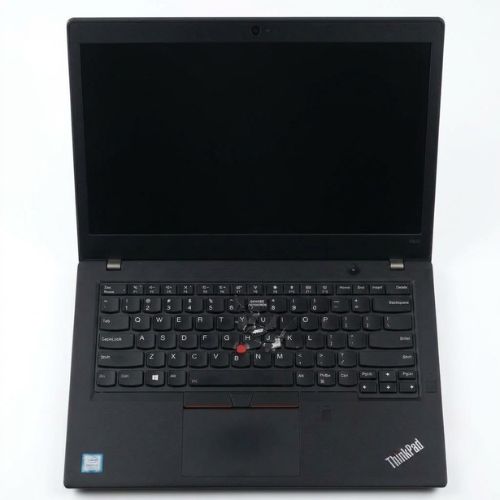
You use your keyboard and trackpad all day, so a fault there is frustrating. Crumbs, spills and wear cause sticking or dead keys, and a swelling battery can push up the trackpad and stop it clicking.
We test the keys, trackpad and backlight one by one, so the repair matches the actual fault instead of replacing more than needed.
- Keys that stick, double-type or stop working
- Whole sections of the keyboard not responding
- Keyboard backlight not working
- Trackpad not clicking, moving or responding
- Keyboard damage after a spill
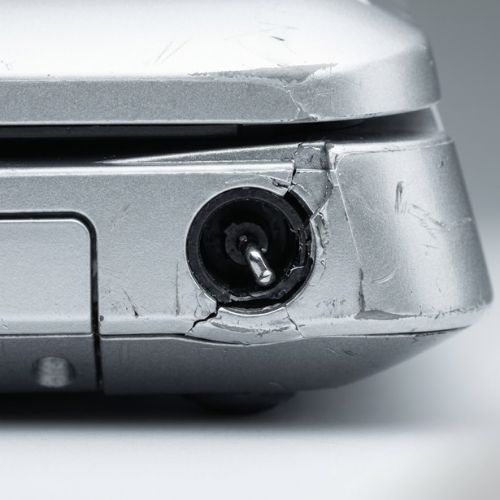
Laptop Charging Port & No-Power Repair in Papakura
A laptop that won't charge or won't turn on could have a faulty charger, a damaged charging port, a worn battery or a problem on the motherboard. Guessing is how people end up buying parts they didn't need.
Try a different power outlet and, if you can, a known good charger first. If the problem remains, bring it in, and we'll test the charger, port, battery and power circuit to find the real fault.
- Laptop not charging, or charging only sometimes
- Charges only when the cable is held in position
- Loose, bent or broken charging port
- Laptop won't turn on or has no power light
- Shuts down suddenly or restarts by itself
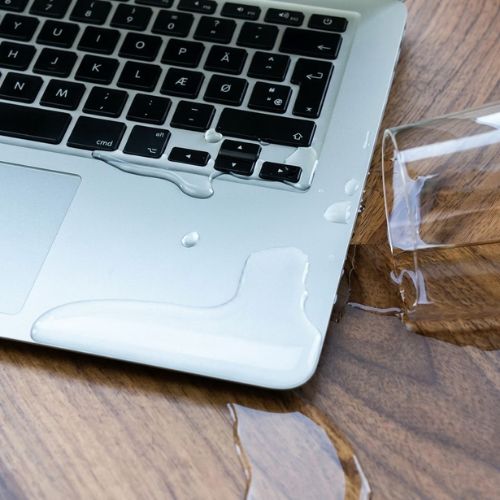
Liquid-Damaged Laptop Repair in Papakura
Unlike a phone, most laptops have no water resistance, so even a small spill can reach the keyboard, motherboard and battery. Corrosion keeps spreading after the liquid has dried, which is why quick action matters.
Switch it off, unplug the charger, don't try turning it on to test it, and avoid rice and hairdryers. The sooner a technician inspects it, the better the chance of limiting the damage.
- Coffee, water or another drink spilled on the keyboard
- Laptop won't turn on after getting wet
- Keys sticking or not working after a spill
- Rain or moisture in a bag with the laptop
- Restarts or shutdowns after liquid contact
Laptop Brands We Can Repair
We service most popular laptop brands. Repair options and part availability depend on the exact brand, model and year, so call us to confirm yours.
Why Choose Mobile Smart for Laptop Repair?
A clear diagnosis, a fair quote and a repair done properly, with no guesswork.
We find the cause first, so you only pay for what is needed.
Experienced with Windows laptops, MacBooks and more.
You approve the price and timeframe before work begins.
Talk to the technician in person at our O'Shannessey Street store.
Laptop Repair in 4 Simple Steps
Getting your laptop fixed doesn't need to be complicated.
Back Up & Bring It In
Back up your files if you can, then bring your laptop and charger to our Papakura store, or call ahead to confirm parts.
Free Diagnosis
We test your laptop and identify the failed part or cause.
Approve the Quote
We explain the price and timeframe, and start only when you agree.
Test & Collect
We check the repair works, then hand your laptop back ready to use.
Need Laptop Repair in Papakura?
Call us or send a request for a free diagnosis and a clear quote. Many common repairs can be completed the same day.
Laptop Repair Questions, Answered
Straight answers to what Papakura customers ask us most.
How much does laptop repair cost in Papakura?
The cost depends on your laptop brand, model and the faulty part. A screen replacement, battery replacement, keyboard repair, charging port repair and SSD upgrade are all priced differently, and premium or ultrabook models usually cost more than standard ones. Mobile Smart offers a free diagnosis and gives a clear quote before any work starts. Call 09 296 6967.
How long does laptop repair take?
Many common laptop repairs, such as battery, keyboard, SSD and fan cleaning jobs, can be completed the same day when the part is in stock. Screen replacements, liquid damage and motherboard faults can take longer because parts may need to be ordered and the diagnosis is more involved. Call Mobile Smart on 09 296 6967 for a timeframe on your laptop.
Why is my laptop so slow, and can you speed it up?
A slow laptop is often caused by an old hard drive, too little memory, a full drive, too many startup programs or malware. Upgrading to an SSD is one of the most effective fixes for an older laptop, and a memory upgrade can help where the model allows it. We test first, so we only recommend what your laptop actually needs.
My laptop won't turn on. What could be wrong?
The usual causes are a flat or failed battery, a faulty charger or charging port, a failed power button or a problem on the motherboard. Check the charger and power outlet first, and try holding the power button for 15 seconds. If it still won't start, bring it in and we'll diagnose the real fault.
Can you replace a cracked laptop screen?
In most cases, yes. A laptop screen replacement is a common repair, but the part depends on your exact model, screen size and resolution, so we confirm availability before quoting. We also check the display cable and hinges, because a dim, flickering or lined screen isn't always a failed panel.
How do I know if my laptop battery needs replacing?
A battery that drains quickly, a laptop that only runs when plugged in, a sudden shutdown at 20% to 40%, or a battery that is swollen are all signs of a worn battery. A swollen battery is a safety risk, so stop using and charging the laptop and bring it in. We test the battery before replacing anything.
Why is my laptop overheating and noisy?
Dust blocking the vents and fan, dried-out thermal paste, a failing fan or heavy background software are the usual causes. Left alone, overheating can slow the laptop, cause shutdowns and shorten its life. A service that cleans the fan and vents and replaces thermal paste often fixes it. We inspect it first to confirm the cause.
Can you repair a laptop that has had liquid spilled on it?
Often a liquid-damaged laptop can be assessed and sometimes repaired, but the sooner it is checked the better. Switch it off straight away, unplug the charger, don't turn it on to test it, and bring it in quickly because corrosion keeps spreading inside. Results depend on the liquid and how long it has been in the laptop.
Will I lose my data during a laptop repair?
For most repairs, such as a screen, battery, keyboard or charging port, your data stays on the drive. Drive failures, liquid damage and motherboard faults carry more risk. We strongly recommend backing up before any repair, and before bringing the laptop in if you can. Tell us if your files are important so we can handle the repair accordingly.
Which laptop brands do you repair?
Mobile Smart can assess most popular laptop brands, including Apple MacBook, Dell, HP, Lenovo, ASUS, Acer, Microsoft Surface, Samsung, MSI and Toshiba. Repair options and part availability vary by brand and model, and some designs are harder to repair than others, so call us to confirm yours.
Is it worth repairing an old laptop?
Often, yes. If the fault is a cracked screen, weak battery, failing drive or overheating, repair costs far less than a new laptop, and an SSD upgrade can make an older laptop feel much faster. As a rule of thumb, if the repair costs well under half the price of a comparable replacement, repair makes sense. We'll give an honest opinion after diagnosis.
Where can I get laptop repair in Papakura, and do I need an appointment?
Mobile Smart is at 79 O'Shannessey Street, Papakura, Auckland, and also serves Takanini, Drury, Red Hill, Opaheke, Conifer Grove and Pukekohe. You can usually bring your laptop in, but calling ahead on 09 296 6967 is recommended so we can confirm that the part is in stock and give you an expected turnaround time.
Laptop Repair Near Papakura, Takanini, Drury & Red Hill
Mobile Smart, 79 O'Shannessey Street, Papakura, Auckland, offers laptop repair for screens, batteries, keyboards, charging faults, overheating and liquid damage for customers across south Auckland. Call 09 296 6967 to discuss your laptop.
Call 09 296 6967